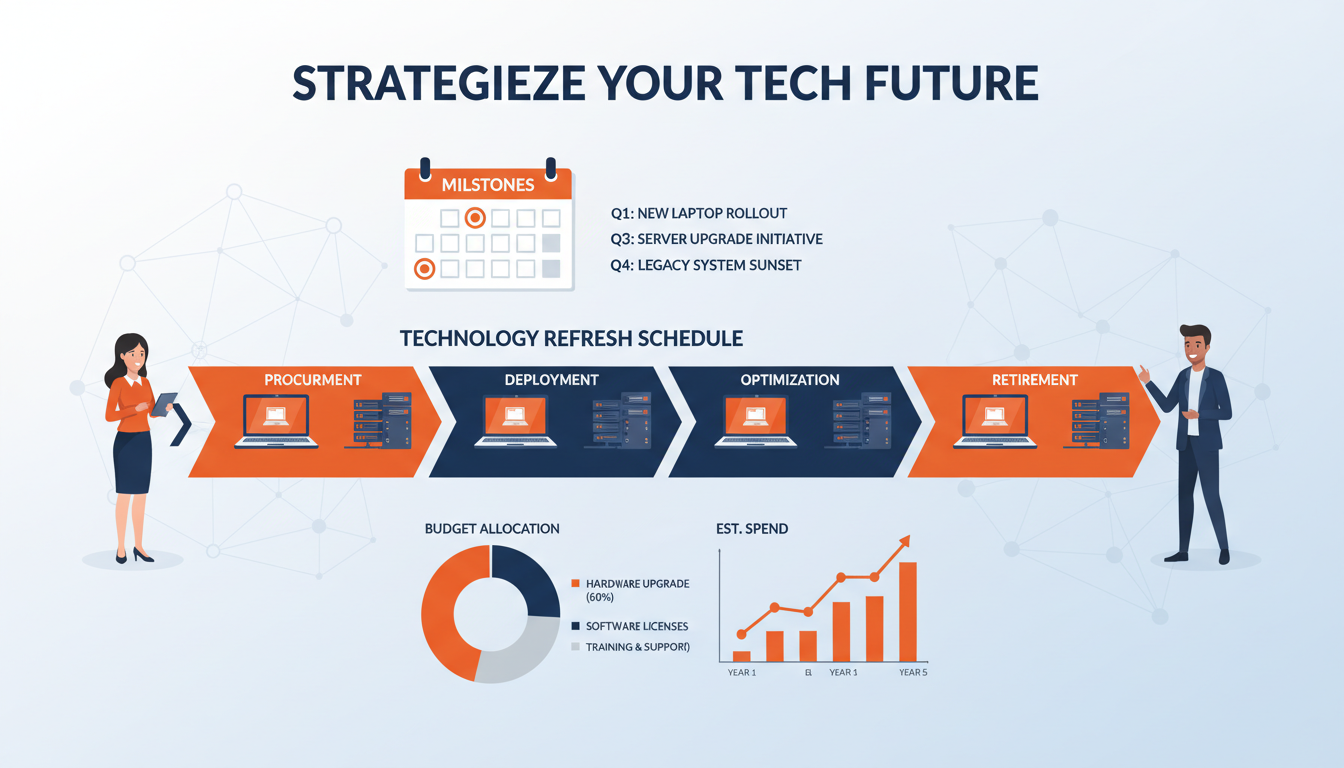
Every piece of technology in your business has a finite lifespan. Laptops slow down and batteries degrade. Servers reach end of vendor support. Firewalls stop receiving security patches. Software versions fall out of mainstream support. Yet despite this inevitability, many UK businesses operate without any formal plan for replacing their technology — instead waiting until equipment fails catastrophically before scrambling to find a replacement.
A technology refresh schedule is a planned, budgeted approach to replacing and upgrading your IT assets before they become a liability. It transforms technology replacement from an unpredictable emergency expense into a manageable, predictable investment. It reduces downtime, improves security, controls costs, and ensures your business always has access to reliable, supported, and performant technology.
This guide explains how to create a technology refresh schedule for your business, including how to determine replacement cycles, prioritise investments, and build a budget that spreads costs evenly over time.
Why Running Old Equipment Costs More Than You Think
The temptation to keep using equipment until it stops working is understandable — it feels like you are saving money by avoiding unnecessary purchases. In reality, running equipment beyond its optimal lifespan costs your business more in the long run through several hidden mechanisms.
First, there is the productivity cost. A five-year-old laptop running the latest version of Windows and Microsoft 365 is measurably slower than a current model. Applications take longer to load, files take longer to save, and multi-tasking becomes painful. Studies consistently show that staff working on aged equipment lose between 30 minutes and two hours per day to waiting for their computers — time that directly translates to lost productivity and frustrated employees.
Second, there is the maintenance cost. Older equipment breaks down more frequently, requiring more support time and more replacement parts. Hard drives fail, batteries die, keyboards stop working, and screens develop faults. Each repair takes time and money, and the cumulative cost of maintaining aging equipment often exceeds the cost of planned replacement.
Third, there is the security cost. Equipment that is no longer supported by its manufacturer does not receive security patches. A firewall that is end-of-life has known vulnerabilities that will never be fixed. A server running an unsupported operating system is a ticking time bomb. The NCSC and Cyber Essentials scheme both require that systems are kept within vendor support — running unsupported equipment is not just risky, it is a compliance failure.
The Opportunity Cost of Ageing Technology
Beyond the direct financial costs of maintaining old equipment, there is a significant opportunity cost that rarely appears on any balance sheet. When your team is constrained by slow, unreliable technology, they cannot adopt the newer working practices that could transform their productivity. Video conferencing becomes impractical on a laptop with an outdated processor and a failing webcam. Data analysis is painfully slow on a workstation with insufficient memory. Creative work grinds to a halt on a machine that cannot run current design software at acceptable frame rates. In each case, the aged equipment is not merely inconvenient — it is actively preventing your people from working in the ways that would deliver the greatest value to your business.
More subtly, outdated technology affects your ability to attract and retain talented staff. In a competitive employment market, candidates notice when a prospective employer provides them with a visibly aged laptop on their first day. It sends a clear message about how the organisation values its people and invests in the tools they need to succeed. Conversely, providing current, high-quality equipment signals that the business takes performance seriously and is prepared to invest in its workforce. For organisations competing for skilled professionals in fields such as software development, engineering, data science, or creative services, the quality of provided technology can be a meaningful differentiator during recruitment — and a significant factor in whether valued employees choose to stay or begin looking for opportunities elsewhere where they feel better supported.
Many business owners compare the cost of a new laptop (£800-£1,200) against the £0 cost of keeping the old one and conclude that replacement is an unnecessary expense. But this ignores the total cost of ownership. A five-year-old laptop costs approximately £1,400 per year in lost productivity, increased support time, higher energy consumption, and risk exposure — far more than the annualised cost of a new machine (£200-£300 per year over a four-year cycle). The old laptop is not free; it is the most expensive machine in your office.
Recommended Replacement Cycles by Asset Type
Different types of IT equipment have different optimal replacement cycles based on their typical lifespan, the pace of technology advancement, and vendor support timelines. The following recommendations represent industry best practice for UK businesses.
| Asset Type | Recommended Cycle | Key Driver | End-of-Life Risk |
|---|---|---|---|
| Laptops | 4 years | Battery degradation, performance decline | Productivity loss, hardware failure |
| Desktop Workstations | 5 years | Performance requirements, OS support | Incompatibility with new software |
| Servers (Physical) | 5 years | Warranty expiry, vendor support | Hardware failure, no security patches |
| Network Switches | 7 years | Firmware support, feature requirements | Security vulnerabilities, no updates |
| Firewalls | 5-6 years | Security patch availability | Unpatched vulnerabilities, compliance failure |
| Wireless Access Points | 5 years | Wi-Fi standard evolution (Wi-Fi 6/6E/7) | Poor performance, security gaps |
| UPS Units | 5-7 years (batteries 3 years) | Battery capacity degradation | No power protection during outages |
| Monitors | 7-8 years | Technology improvement, ergonomics | Eye strain, low resolution |
| Printers / MFDs | 5-6 years | Parts availability, driver support | Increasing repair costs, no drivers |
| Mobile Phones | 3 years | OS support, security updates | No security patches, app incompatibility |
Building Your Asset Register
The foundation of any technology refresh schedule is a comprehensive asset register — a database of every piece of IT equipment in your organisation, recording key information needed for lifecycle planning.
For each asset, you should record the device type, manufacturer, model, serial number, purchase date, warranty expiry date, assigned user or location, current condition, and any notes about known issues or planned changes. This data enables you to calculate the age of every device, identify equipment approaching end of life, and forecast replacement needs years in advance.
If you do not currently have an asset register, building one is the essential first step. Your IT provider or internal IT team can use management tools to automatically discover and catalogue devices on your network. Manual verification should supplement the automated discovery to capture devices that may not be network-connected, such as monitors, UPS units, and printers.
Once established, the asset register must be maintained as a living document. Every new purchase should be recorded, every disposal logged, and every change of assignment updated. Many managed IT providers maintain asset registers as part of their standard service, using professional services automation (PSA) tools that track assets alongside support tickets and contracts.
Integrating Software and Cloud Subscription Lifecycles
Whilst hardware refresh cycles receive the most attention, a comprehensive technology refresh programme should also encompass software licences and cloud subscriptions. Operating systems, productivity suites, security platforms, and line-of-business applications all have defined support lifecycles published by their vendors. Microsoft, for example, provides a clear lifecycle policy for every product: each Windows version has a defined end-of-support date, after which security patches cease entirely. Running software beyond its support date exposes your organisation to unpatched vulnerabilities and potential compliance failures, just as running unsupported hardware does — and the risk is arguably greater, since software vulnerabilities are more frequently and more easily exploited by attackers than hardware weaknesses.
Including software lifecycle dates alongside hardware replacement schedules in your refresh plan gives you a complete, holistic picture of your technology estate's health and future obligations. It also enables significantly more efficient planning — for instance, timing a laptop refresh to coincide with a Windows version transition eliminates the need for a separate operating system migration project and ensures new devices ship with the current platform from day one, fully configured and ready for productive use. Similarly, aligning firewall hardware replacement with a firmware platform upgrade avoids the disruption of performing two separate change windows on the same critical infrastructure within a short period. This integrated approach transforms your refresh schedule from a simple hardware replacement calendar into a comprehensive technology lifecycle management tool that protects your business from both hardware failures and software obsolescence simultaneously.
Creating the Refresh Schedule
With your asset register complete and replacement cycles defined, you can now build your refresh schedule. This is essentially a timeline showing when each asset is due for replacement, plotted over the next three to five years.
Start by calculating the planned replacement date for every asset based on its purchase date and the recommended cycle length. A laptop purchased in January 2022 with a four-year cycle is due for replacement in January 2026. A firewall installed in March 2021 with a five-year cycle is due in March 2026.
Plot all replacement dates on a timeline and look for clusters. It is common to find that many assets were purchased around the same time — perhaps during a previous office move or a bulk refresh — creating a peak of replacements all falling due simultaneously. This is exactly the kind of budget shock that a refresh schedule is designed to prevent.
Where you identify clusters, consider staggering replacements. Rather than replacing 30 laptops in the same month, spread them across three quarters — replacing ten per quarter. This smooths the financial impact and reduces the burden on your IT team or provider to configure and deploy a large number of devices simultaneously.
Handling Exceptions and Accelerated Replacements
No refresh schedule can anticipate every eventuality. Equipment occasionally fails before its planned replacement date due to manufacturing defects, accidental damage, or unforeseen software incompatibility. A robust refresh programme includes a contingency provision — typically 10 to 15 per cent of the annual refresh budget — reserved specifically for unplanned replacements. This financial buffer ensures that unexpected failures can be addressed promptly without disrupting the planned schedule or triggering emergency budget approval processes that delay resolution and extend the period during which affected staff cannot work effectively.
Equally, there are circumstances where accelerating a planned replacement is the correct decision even though the existing equipment remains technically functional. If a critical security vulnerability is discovered in a hardware platform that cannot be remediated through firmware patching, waiting until the scheduled replacement date would be irresponsible from both a security and a compliance perspective. If a key member of staff is being measurably hampered by their equipment and an upgrade would materially improve their output, bringing their replacement forward may deliver a positive return on investment within weeks rather than months. The refresh schedule should be treated as a living plan — a tool for informed decision-making rather than a rigid calendar that cannot accommodate changing circumstances. Regular quarterly reviews of the schedule, informed by actual equipment condition assessments, evolving business requirements, and developments in technology standards, ensure it remains a practical and genuinely useful management instrument rather than an outdated document that nobody consults.
Budgeting for Technology Refresh
One of the greatest benefits of a technology refresh schedule is the ability to budget accurately for technology replacement. Rather than facing unpredictable emergency purchases, you can forecast exactly what needs replacing and when, and set aside funds accordingly.
Calculate the total replacement cost across your planning horizon (typically three to five years) and divide by the number of months to determine a monthly technology reserve. For example, if your three-year refresh plan totals £72,000 in replacements, setting aside £2,000 per month ensures you always have funds available when replacements fall due.
Some businesses prefer to use leasing or Hardware as a Service (HaaS) models to convert capital expenditure into predictable monthly payments. Under a HaaS arrangement, you pay a fixed monthly fee per device and receive automatic replacements at the end of each cycle. This approach simplifies budgeting and ensures you always have current equipment, though the total cost over the device lifetime is typically 15-25% higher than outright purchase.
Whichever approach you choose, the key principle is the same: planned, budgeted replacement is always cheaper and less disruptive than unplanned, emergency replacement. A laptop that dies unexpectedly costs not only the purchase price of a replacement but also the express delivery premium, the emergency configuration time, the productivity lost while your staff member waits, and the potential data loss if the failed machine was not properly backed up.
Tax Efficiency and Accounting Considerations
The financial treatment of technology purchases has meaningful implications for how you structure your refresh budget. In the United Kingdom, the Annual Investment Allowance enables businesses to deduct the full cost of qualifying IT equipment from their taxable profits in the year of purchase, up to the prevailing threshold. This means that a well-planned technology refresh programme can deliver a significant tax benefit, particularly when the timing of purchases is coordinated with your financial year to optimise the relief available. Businesses that spread their refresh expenditure evenly across the year may find that concentrating certain purchases into a single tax period, where allowances would otherwise go unused, delivers a better overall financial outcome.
For businesses that prefer to smooth expenditure through leasing or Hardware as a Service arrangements, the monthly payments are typically classified as an operating expense and are fully deductible against profits in the period they are incurred. Your accountant should be consulted to determine which approach — outright purchase with capital allowances, or leasing with operational expense deductions — delivers the most favourable outcome given your specific financial position, cash flow requirements, and growth trajectory. A virtual CIO working alongside your finance team can structure the refresh schedule to maximise both operational efficiency and tax efficiency, ensuring that the timing of technology investments aligns with your broader financial planning cycle and takes full advantage of every available relief. This collaboration between IT strategy and financial planning is one of the less obvious but highly valuable benefits of a structured approach to technology refresh.
Planned Technology Refresh
- Predictable, budgeted monthly spend
- Equipment replaced before it fails
- Bulk purchasing discounts available
- Planned deployment with minimal disruption
- Always within vendor support and warranty
- Consistent performance across the organisation
- Compliance with Cyber Essentials maintained
- Staff productivity optimised
Reactive (Break-Fix) Replacement
- Unpredictable emergency expenditure
- Equipment runs until catastrophic failure
- Premium pricing for urgent replacements
- Extended downtime during emergency recovery
- Risk of running unsupported hardware
- Inconsistent hardware across the business
- Compliance gaps from end-of-life equipment
- Staff frustrated by slow, unreliable devices
The Role of a Virtual CIO in Technology Planning
Creating and maintaining a technology refresh schedule requires strategic IT thinking — understanding not just what needs replacing, but how replacement decisions align with your broader business objectives. This is where a Virtual CIO (vCIO) service adds significant value.
A vCIO is a senior IT strategist who works with your business on a regular basis — typically through quarterly business reviews — to align your technology investments with your business goals. They maintain your technology roadmap, manage your refresh schedule, advise on new technologies that could benefit your business, and ensure your IT budget is spent where it delivers the greatest return.
For UK SMEs that cannot justify the £80,000-£120,000 salary of a full-time CIO, a vCIO service provides the same strategic capability at a fraction of the cost, typically included as part of a managed IT support agreement or available as a standalone service for £500-£1,500 per month depending on the scope.
Your vCIO should present an annual technology review that includes the current state of your asset register, upcoming replacements and their costs, recommendations for cloud migration or infrastructure changes, a three-year budget forecast, and alignment notes showing how proposed investments support your business strategy. This transforms technology from a reactive cost centre into a strategic enabler of business growth.
Strategic Alignment and Vendor Management
A virtual CIO adds considerable value in vendor management throughout the refresh process. Selecting the right hardware partners, negotiating favourable commercial terms, and managing the procurement pipeline for a multi-year refresh programme requires market knowledge and procurement experience that most internal IT teams simply do not possess. An experienced vCIO maintains relationships with multiple hardware vendors and distributors, understands current market pricing and typical lead times, and can leverage the combined purchasing volume of their client portfolio to secure pricing that a single organisation purchasing independently would struggle to achieve.
Beyond procurement, a vCIO ensures that every refresh decision aligns with your longer-term technology strategy rather than being taken in isolation. Rather than automatically replacing like with like, each refresh cycle presents an opportunity to evaluate whether your current approach remains optimal for your evolving business. Should the next batch of user devices be traditional laptops, or would lightweight notebooks paired with Azure Virtual Desktop deliver better value for certain user profiles? Is the next server refresh the right moment to complete your cloud migration rather than investing in another generation of on-premises hardware? Should the wireless network upgrade incorporate the latest Wi-Fi 7 standard, or does Wi-Fi 6E provide sufficient capability at a lower cost point? These strategic questions can only be answered meaningfully in the context of your organisation's specific direction and business objectives — exactly the perspective that a virtual CIO brings to the planning process, ensuring that every pound spent on technology replacement moves you closer to your broader goals rather than simply maintaining the status quo.
Disposal and Environmental Responsibility
Technology refresh naturally generates old equipment that needs disposing of responsibly. UK businesses have legal obligations under the Waste Electrical and Electronic Equipment (WEEE) Regulations to ensure that IT equipment is recycled properly rather than sent to landfill.
More importantly from a data security perspective, every device that has stored business data must be securely wiped before disposal. GDPR requires that personal data is rendered irrecoverable when equipment is decommissioned. Your IT provider should use NCSC-approved data destruction methods and provide certificates of destruction for your compliance records.
Many IT equipment recyclers will collect old equipment free of charge, as the recovered materials and refurbished components have commercial value. Some will even provide a rebate for equipment in good condition. Your IT provider or vCIO can recommend reputable WEEE-compliant recyclers and manage the disposal process, including data sanitisation and certification.
Environmental, Social, and Governance Considerations
Technology disposal sits firmly within the growing ESG (environmental, social, and governance) agenda that UK businesses are increasingly expected to address. Clients, investors, and regulators are asking progressively more detailed questions about how organisations manage the environmental impact of their operations, and IT equipment lifecycle management is a visible, measurable component of that impact. Demonstrating that your business operates a formal technology refresh programme with documented responsible disposal practices, verified recycling rates, and certified data destruction contributes positively to your ESG credentials and can be a genuine differentiator in competitive tender processes where sustainability criteria carry significant weighting alongside technical capability and price.
Consider establishing a device cascading policy as part of your refresh programme. Equipment being replaced from demanding frontline roles may still have useful life in less resource-intensive applications — a laptop retired from a power user's desk might serve perfectly well as a meeting room device, a reception terminal, or a hot-desking station for another 12 to 18 months before reaching its true end of life. This approach extends the useful lifespan of equipment, reduces electronic waste, and maximises the return on your original capital investment. However, cascading must be managed carefully to avoid simply pushing aged, unreliable equipment onto colleagues who then inherit the very productivity and reliability problems the refresh was designed to eliminate. Clear policies defining the minimum acceptable specification for cascaded devices, a mandatory condition assessment before redeployment, and a firm end-of-life date beyond which no further cascading is permitted regardless of apparent condition, ensure this practice remains genuinely beneficial rather than counterproductive. When equipment does reach its final end of life, partnering with a reputable, ADISA-certified IT asset disposal company ensures that data is destroyed to auditable standards and that materials are recovered and recycled in full compliance with the WEEE Regulations.
Need Help Planning Your Technology Refresh?
Cloudswitched provides Virtual CIO services for businesses across the United Kingdom, including technology refresh scheduling, budget planning, and strategic IT alignment. Our vCIO team helps you transform technology from an unpredictable expense into a planned, optimised investment that supports your business growth. Contact us to discuss your technology planning needs.
Explore Virtual CIO Services
CloudSwitched
London-based managed IT services provider offering support, cloud solutions and cybersecurity for SMEs.


