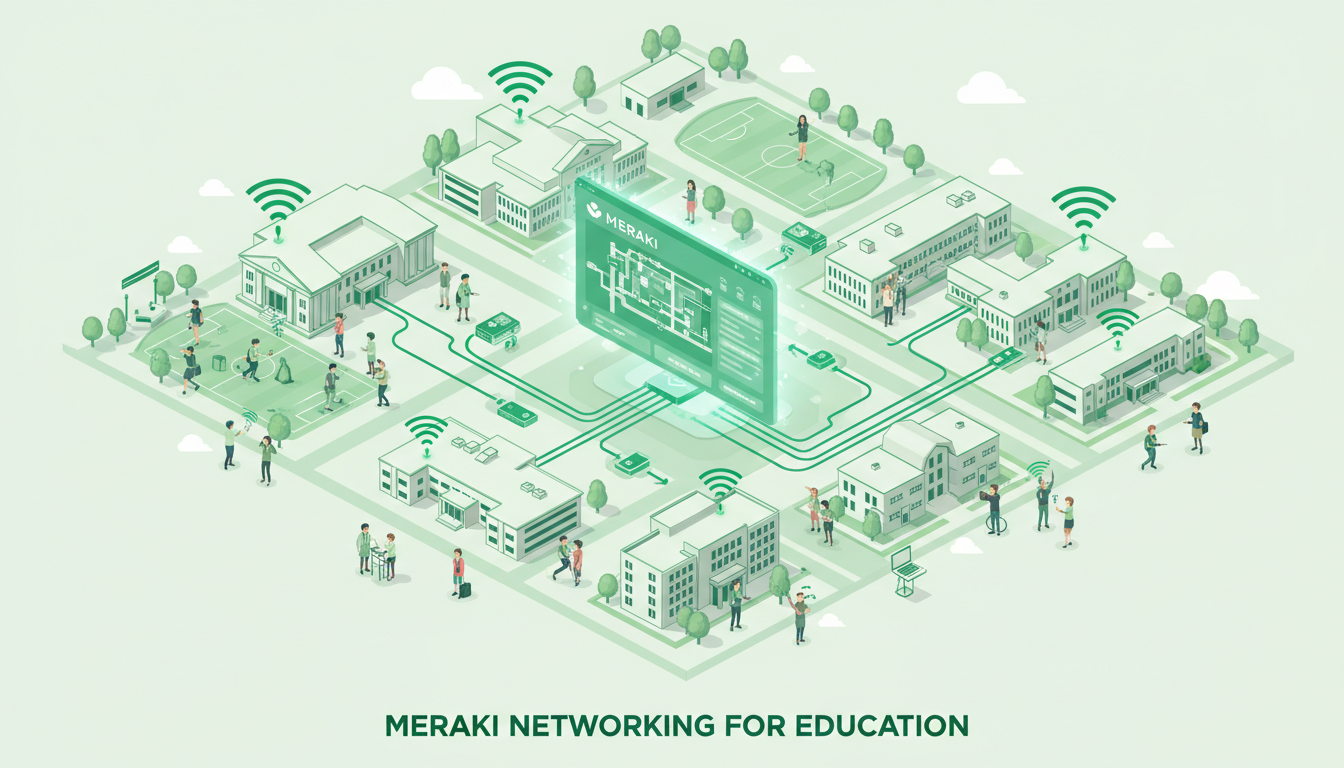
Schools across the United Kingdom face a unique networking challenge. They must provide reliable, high-speed connectivity for hundreds or even thousands of users — students, teachers, and administrative staff — while maintaining stringent content filtering, safeguarding compliance, and operating within tight budgets. Traditional enterprise networking solutions are often too complex and expensive for educational settings, while consumer-grade equipment lacks the features and reliability that schools demand.
Cisco Meraki has emerged as one of the most popular networking platforms for UK schools, academies, and multi-academy trusts. Its cloud-managed approach simplifies deployment and management while delivering enterprise-grade performance, security, and visibility. From primary schools in rural Wales to large secondary academies in Greater London, Meraki is transforming how educational institutions approach networking.
This guide explores how Meraki addresses the specific networking challenges faced by UK schools, covering wireless networks, switching, security appliances, content filtering, and the cloud management platform that ties everything together.
The digital transformation of UK education has accelerated dramatically over the past decade. Interactive whiteboards, cloud-based learning management systems such as Google Classroom and Microsoft Teams for Education, online assessment platforms, and one-to-one device programmes have moved from aspirational goals to everyday necessities. The Department for Education's emphasis on digital literacy, combined with the lasting impact of remote and hybrid learning during the pandemic, means that robust networking is no longer a supplementary resource for schools — it is foundational infrastructure, as critical as electricity and heating.
Yet many schools still operate on networks that were designed for a fundamentally different era. A decade ago, a single computer suite might have served the entire school, and internet access was a resource used during specific ICT lessons rather than an always-on utility underpinning every subject. Upgrading these legacy networks requires careful planning, the right technology choices, and a thorough understanding of the unique demands that educational environments place on networking equipment. The consequences of getting this wrong are immediate and visible: lessons disrupted by dropped connections, online assessments that cannot load, and safeguarding systems that fail silently.
Why Schools Need Specialised Networking
School networks differ fundamentally from corporate networks in ways that affect every aspect of design and management. Understanding these differences is essential for choosing the right solution.
Device density is the first major challenge. A typical UK classroom now contains 30 student devices (tablets, laptops, or Chromebooks), plus the teacher's laptop, an interactive whiteboard, and potentially a desktop computer and printer. Multiply this across 30 or more classrooms, add staff devices, CCTV cameras, and IoT sensors, and you quickly reach device counts that rival medium-sized enterprises — all packed into a much smaller physical space.
Usage patterns are equally distinctive. School networks experience dramatic peaks and troughs. At 8:45 AM, hundreds of devices connect simultaneously. During lesson changes, traffic patterns shift entirely. At 3:30 PM, most devices disconnect. This burst-and-lull pattern requires networking equipment that can handle sudden spikes without degrading performance.
Safeguarding requirements add another layer of complexity. UK schools have a legal obligation under the Keeping Children Safe in Education (KCSIE) framework to monitor and filter internet access. This is not optional — Ofsted inspectors check that schools have appropriate filtering and monitoring systems in place, and failures can result in serious consequences.
The BYOD and One-to-One Device Challenge
Many UK schools have adopted bring-your-own-device (BYOD) policies or invested in one-to-one device schemes through programmes such as the DfE's Get Help with Technology initiative. Whilst these programmes have been transformative for learning outcomes, they place enormous demands on school networks. A secondary school with 1,200 pupils, each carrying a laptop or tablet, plus 150 staff devices, CCTV cameras, interactive displays, and building management systems, can easily exceed 2,000 connected devices — a figure that would challenge many corporate networks operating in far larger physical spaces.
The diversity of devices compounds the challenge considerably. A corporate network might standardise on a single laptop model with centrally managed Wi-Fi profiles. A school network must accommodate a bewildering variety of hardware — iPads, Chromebooks, Windows laptops, Android tablets, and personal smartphones — each with different Wi-Fi chipsets, driver versions, and capabilities. The networking equipment must handle this diversity gracefully, providing consistent performance regardless of the client device connecting to the wireless network.
Bandwidth Demands and Internet Connectivity
Modern teaching practices consume bandwidth at a rate that would have been unimaginable just a few years ago. Video streaming for educational content, simultaneous video conferencing sessions across multiple classrooms, cloud-based application access, and large file downloads for design and media courses all compete for available bandwidth. A school with 30 classrooms, each streaming educational video content simultaneously, can easily saturate a standard gigabit internet connection. Planning for adequate bandwidth — both internally within the local network and at the internet edge — is a fundamental consideration that the underlying networking infrastructure must support from day one.
The Department for Education's KCSIE statutory guidance requires schools to ensure that appropriate filters and monitoring systems are in place to safeguard children from potentially harmful and inappropriate online material. The UK Safer Internet Centre and the Internet Watch Foundation provide specific guidance on what constitutes appropriate filtering for educational settings. Schools must also be able to demonstrate to Ofsted that their filtering is effective and regularly reviewed. Meraki's built-in content filtering and reporting capabilities help schools meet these obligations.
Meraki Wireless Access Points for Schools
Wireless connectivity is the backbone of modern classroom technology. Meraki wireless access points (APs) are designed to handle the high-density environments that schools present, with features specifically tailored to educational use.
High-Density Performance
Meraki MR series access points support Wi-Fi 6 and Wi-Fi 6E standards, providing the bandwidth and client capacity that classrooms demand. A single Meraki MR46 access point can support over 100 simultaneous client connections — enough for a large classroom of devices with capacity to spare. The access points use intelligent radio management to automatically adjust channel selection, power levels, and band steering, ensuring optimal performance without manual tuning.
Multiple SSIDs for Segmentation
Schools typically need several separate wireless networks: one for staff devices with full network access, one for student devices with filtered internet and limited network access, one for guest visitors such as parents and governors, and potentially one for IoT devices like interactive whiteboards and CCTV cameras. Meraki supports up to 15 SSIDs per access point, each with its own security settings, VLAN assignment, bandwidth limits, and content filtering rules.
Classroom-Specific Features
Meraki offers features designed specifically for educational environments. Air Marshal detects and contains rogue access points — a real concern in schools where students might try to set up personal hotspots to bypass content filtering. Location analytics show how devices move around the school, useful for understanding space utilisation and foot traffic patterns. Bluetooth beacons built into newer access points can support indoor wayfinding applications, particularly useful in large secondary school campuses.
Site Surveys and Deployment Planning
Deploying wireless access points in a school environment requires careful site survey work. School buildings present unique radio frequency challenges: thick Victorian walls in older grammar schools, steel-framed construction in post-war buildings, and open-plan areas in modern academy designs all affect wireless signal propagation differently. A proper site survey uses specialist equipment to measure signal strength, interference levels, and client capacity requirements in each area of the school, ensuring that access points are positioned for optimal coverage without wasteful overlap or co-channel interference.
Meraki's cloud-based RF planning tools simplify this process significantly. Once access points are deployed, the dashboard provides real-time coverage heat maps showing signal strength across the entire school site. If coverage gaps are identified — perhaps in a newly converted classroom or an outdoor teaching area — the impact of adding or relocating access points can be assessed before any physical changes are made. This data-driven approach to wireless deployment is particularly valuable for schools, where tight budget constraints mean that every access point must be justified and optimally placed to deliver maximum return on investment.
Outdoor coverage deserves special mention for UK schools. Many schools are increasingly using outdoor spaces for teaching and learning, and students naturally expect Wi-Fi access during break times and lunch periods. Meraki's outdoor access points, such as the MR76, are designed to withstand typical British weather conditions — persistent rain, strong winds, and temperature fluctuations — whilst providing reliable coverage across playgrounds, sports fields, and outdoor learning areas. Mounting options include pole mounts for existing lamp posts and wall mounts for building exteriors, making deployment straightforward in most school environments without the need for extensive additional infrastructure.
| Meraki AP Model | Wi-Fi Standard | Max Clients | Best For | Indicative Cost |
|---|---|---|---|---|
| MR36 | Wi-Fi 6 | 80+ | Standard classrooms | £500 - £650 |
| MR46 | Wi-Fi 6 | 100+ | High-density classrooms, halls | £750 - £900 |
| MR56 | Wi-Fi 6 | 150+ | Auditoriums, sports halls | £1,100 - £1,400 |
| MR76 | Wi-Fi 6 (Outdoor) | 100+ | Playgrounds, outdoor areas | £900 - £1,200 |
| MR46E | Wi-Fi 6E | 120+ | Future-proofed deployments | £850 - £1,050 |
Content Filtering and Safeguarding
Content filtering is arguably the most critical networking function in a school environment. Meraki provides multiple layers of content filtering that work together to create a comprehensive safeguarding solution.
At the network level, Meraki MX security appliances provide category-based web filtering that blocks access to inappropriate content categories — adult content, gambling, weapons, drugs, and other categories that schools need to restrict. The filtering database is continuously updated, and schools can customise which categories are blocked for different user groups. Staff might have access to social media for professional purposes while students have it blocked entirely.
The Meraki dashboard provides detailed reporting on web usage, showing which sites students and staff are accessing, which blocked sites they are attempting to access, and how bandwidth is being consumed. These reports are invaluable for safeguarding reviews and Ofsted inspections, providing evidence that the school's filtering is working effectively.
For schools that need more granular content filtering than Meraki provides natively, the platform integrates seamlessly with specialist educational filtering solutions such as Smoothwall, Securly, and Lightspeed. These integrations add features like keyword monitoring, screenshot capture, and real-time alerts when students attempt to access concerning content — features that are increasingly expected under KCSIE guidance.
HTTPS Inspection and Encrypted Traffic
One of the most significant challenges in school content filtering today is the prevalence of encrypted web traffic. With the vast majority of websites now using HTTPS encryption, traditional URL-based filtering can see only the domain name, not the specific page or content being accessed. This means a student could potentially access inappropriate material on a website that is otherwise categorised as safe — for example, searching for harmful content through an allowed search engine that encrypts its results pages.
Meraki's MX security appliances support HTTPS inspection, which decrypts traffic for analysis before re-encrypting it for delivery to the end user. This provides full visibility into encrypted web traffic, enabling content filtering to operate at the page and content level rather than merely at the domain level. Implementing HTTPS inspection requires deploying a trusted root certificate to student and staff devices, which is straightforward in schools using mobile device management solutions or Active Directory group policies to manage their device fleet centrally.
Group-Based Filtering Policies
Different user groups within a school require different levels of internet access, and a one-size-fits-all filtering policy creates unnecessary friction. Teaching staff may need access to social media platforms for legitimate educational purposes — a history teacher researching primary sources, or a media studies teacher analysing content trends. Students in the sixth form may be granted broader access than younger pupils for independent research. Administrative staff may need access to financial and HR platforms that should remain invisible to other user groups entirely. Meraki's group policy system integrates with Active Directory and other identity providers, automatically applying the correct filtering policy based on who is logged in rather than which device or network they are using. This per-user approach to filtering is far more flexible and secure than device-based or location-based policies alone.
Cloud Management: Simplifying School IT
The Meraki cloud dashboard is perhaps the platform's most compelling feature for schools. Unlike traditional networking equipment that requires on-site command-line configuration, every Meraki device is managed through a web-based dashboard that can be accessed from anywhere. For schools with limited IT staff — many UK primary schools have no dedicated IT technician at all — this simplicity is transformative.
The dashboard provides a single view of every network device across the school: access points, switches, security appliances, and cameras. Network health indicators show at a glance whether everything is working correctly, and alerts notify administrators of problems before users are affected. Firmware updates are deployed automatically from the cloud, eliminating one of the most time-consuming aspects of traditional network management.
For multi-academy trusts managing networks across multiple school sites — perhaps scattered across a city like Birmingham, or spread across a county like Kent — the cloud dashboard is invaluable. A single IT team can monitor and manage the networks of 10, 20, or even 50 schools from one interface, applying consistent policies and configurations across all sites while accommodating site-specific requirements where needed.
Template-Based Configuration for Multi-Site Deployments
For multi-academy trusts managing networks across numerous school sites, Meraki's template feature is a significant time-saver and a powerful tool for ensuring consistency. A template defines the standard network configuration — wireless SSIDs, VLAN assignments, firewall rules, content filtering policies, and traffic shaping settings — which is then applied automatically across all school sites bound to that template. When a trust-wide policy change is needed — perhaps updating the content filtering categories ahead of the new academic year — it can be made once in the template and automatically propagated to every site within minutes. This ensures consistency, reduces the risk of configuration drift between sites, and dramatically reduces the administrative time required to implement trust-wide changes.
Proactive Alerts and Remote Troubleshooting
The Meraki dashboard provides configurable alerts for a wide range of network events: access points going offline, switches losing upstream connectivity, unusual traffic patterns that may indicate a security threat, and devices consuming excessive bandwidth. For schools, where a network issue during an examination period or an Ofsted inspection could have serious consequences, these proactive alerts ensure that problems are identified and addressed before they affect end users. IT teams can investigate and often resolve issues remotely through the cloud dashboard — rebooting a misbehaving access point, adjusting a misconfiguration, or identifying the root cause of a connectivity problem — without needing to travel to the school site in person. For multi-site trusts, this remote management capability can reduce physical on-site support visits by 40 to 60 per cent, delivering significant cost savings over the course of an academic year.
Zero-Touch Deployment
When new Meraki equipment is shipped to a school, it can be fully pre-configured in the cloud dashboard before it even arrives on site. Once the equipment is physically installed and connected to the network and the internet, it automatically downloads its configuration from the Meraki cloud and begins operating within minutes. This zero-touch deployment model means that schools do not need a specialist network engineer present on site for installation — a competent facilities team can mount access points on ceilings and plug network cables into switches, and the devices configure themselves. For trusts rolling out standardised networking across multiple schools simultaneously, this dramatically accelerates deployment timelines, reduces installation costs, and ensures that every site receives an identical configuration without manual intervention.
Meraki Cloud Management Benefits
- Manage all sites from a single dashboard
- Automatic firmware updates and security patches
- Remote troubleshooting without on-site visits
- Consistent policy deployment across all schools
- Real-time network health monitoring
- Detailed usage analytics and reporting
- Zero-touch deployment for new equipment
Traditional Network Management Challenges
- On-site visits required for configuration changes
- Manual firmware updates per device
- Command-line expertise required
- Inconsistent configurations across sites
- Limited visibility without SNMP monitoring
- Complex reporting requiring third-party tools
- Skilled engineer needed for deployment
Funding and Procurement for Schools
Budget is always a consideration for UK schools. Meraki networking represents a significant investment, but several funding routes can help make it achievable.
The DfE's Connect the Classroom programme provides funding to upgrade network infrastructure in schools with slow or unreliable Wi-Fi. Eligible schools can receive funding for wireless access points, network switches, and cabling — the exact infrastructure that Meraki provides. Check the DfE website for current eligibility criteria and application deadlines.
Multi-academy trusts can often negotiate volume pricing through Cisco's education licensing programmes. The Meraki education discount can be substantial, and the three-year or five-year licence model aligns well with school budget planning cycles. Some trusts have achieved savings of 25-35% compared to standard pricing through proper procurement channels.
Consider the total cost of ownership rather than just the purchase price. Meraki's cloud management eliminates the need for expensive on-premises management servers. Automatic updates reduce the time IT staff spend on maintenance. Remote troubleshooting reduces expensive on-site visits. When these operational savings are factored in, Meraki often proves more cost-effective than apparently cheaper alternatives.
Leasing and Subscription Models
Meraki's licensing model, which bundles hardware support and cloud management platform access into annual or multi-year subscriptions, aligns naturally with school budget planning cycles. Many schools and trusts prefer the predictability of a fixed annual cost over large, irregular capital expenditures that must be justified through separate budget bids. Leasing arrangements through Cisco Capital or approved education resellers can spread the cost of a full network refresh over three to five years, turning a substantial capital project into a manageable operational expense that fits within the school's revenue budget. This approach also ensures that hardware is refreshed at the end of the lease period, preventing the all-too-common problem of schools running outdated and unsupported networking equipment long past its intended lifespan.
Procurement Frameworks and Education Pricing
UK schools and multi-academy trusts can procure Meraki equipment through established public sector procurement frameworks such as the Crown Commercial Service's Technology Products and Associated Services framework, which provides pre-negotiated pricing and simplified procurement processes. Using these frameworks not only ensures competitive pricing but also satisfies the procurement governance requirements that apply to publicly funded educational institutions. Many Meraki resellers are listed on these frameworks, and some specialise exclusively in education sector deployments, bringing valuable experience of the specific requirements, funding timelines, and compliance challenges that schools face.
Planning Your Network Refresh
A successful Meraki deployment in a school starts with a thorough network assessment conducted by qualified engineers. This assessment should evaluate the current infrastructure — structured cabling quality and category rating, switch capacity and power-over-Ethernet capability, internet bandwidth headroom, and electrical capacity for additional access points — and identify any gaps that need addressing before new wireless equipment is installed. There is little point in deploying cutting-edge Wi-Fi 6 access points if the underlying cabling is Category 5 rather than Category 5e or 6, or if the existing PoE switches cannot deliver the wattage that modern access points require. A phased approach often works well for schools with constrained budgets: upgrading the wireless network first for immediate classroom impact, then replacing core switches and security appliances in subsequent phases aligned with budget availability and academic calendar considerations.
Meraki Networking for Your School
Cloudswitched is a Cisco Meraki partner specialising in networking solutions for UK schools, academies, and multi-academy trusts. From initial design and procurement through to deployment, configuration, and ongoing management, we deliver reliable, safeguarding-compliant networks that support modern teaching and learning. Contact us for a free network assessment.
GET IN TOUCH
CloudSwitched
London-based managed IT services provider offering support, cloud solutions and cybersecurity for SMEs.


