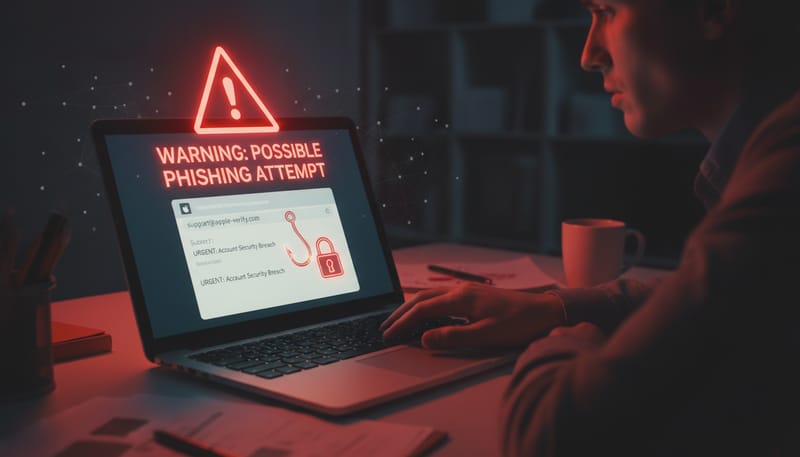
Online scams have become one of the most significant threats facing UK businesses today. From sophisticated phishing emails that perfectly mimic your bank's branding to elaborate CEO fraud schemes that trick finance teams into transferring thousands of pounds, cybercriminals are deploying increasingly convincing tactics to separate businesses from their money and data. For small and medium-sized enterprises across London and the wider UK, the consequences of falling victim can be devastating — not just financially, but in terms of lost client trust, regulatory penalties, and operational disruption.
At Cloudswitched, we work with businesses across London who face these threats daily. The reality is that no organisation is too small to be targeted. In fact, smaller businesses are often preferred targets precisely because they typically lack the dedicated security teams and sophisticated defences of larger corporations. Understanding the warning signs of an online scam is your first and most important line of defence.
This comprehensive guide breaks down the five key warning signs that every business owner, manager, and employee should know. We'll also cover the technical protections you can put in place, what to do if you've already been scammed, and how to build a culture of security awareness across your organisation.
The Scale of the Problem: UK Scam Statistics
Before we dive into the warning signs, it's important to understand just how widespread online scams have become in the United Kingdom. The numbers paint a stark picture of a threat landscape that continues to grow year on year.
According to Action Fraud, the UK's national reporting centre for fraud and cybercrime, the volume of reported scams has increased dramatically in recent years. What's particularly concerning is that these figures likely represent only a fraction of actual incidents, as many businesses choose not to report scams due to embarrassment or a belief that nothing can be done. The National Crime Agency estimates that the true figure could be three to four times higher than reported numbers.
The UK's City of London Police, which oversees Action Fraud, reports that business email compromise (BEC) scams alone account for over £138 million in losses annually. London-based businesses are disproportionately targeted due to the concentration of financial services and professional firms in the capital.
Warning Sign #1: Suspicious Email Addresses & Domains
The single most reliable indicator of an online scam is the sender's email address and domain. While scammers have become incredibly skilled at making their messages look legitimate — copying logos, formatting, and even writing styles — the email address itself almost always contains telltale signs of fraud.
What to Look For
Legitimate businesses send emails from their official domain. Your bank won't contact you from a Gmail address, and HMRC won't send tax notices from a Hotmail account. However, scammers have become clever about creating domains that look almost identical to real ones. They use techniques such as:
- Typosquatting: Registering domains with subtle misspellings, such as cloudsw1tched.com instead of cloudswitched.com, or barclays-bank.com instead of barclays.co.uk
- Subdomain tricks: Using legitimate-looking subdomains like barclays.secure-login.com — the actual domain here is secure-login.com, not Barclays
- Homoglyph attacks: Replacing characters with visually similar ones from different alphabets, such as using a Cyrillic 'a' that looks identical to a Latin 'a' but creates a completely different domain
- Display name spoofing: Setting the display name to "IT Support Team" or "Managing Director" while the actual email address is something completely unrelated
Many email clients on mobile devices show only the display name by default, hiding the actual email address. Always tap or click on the sender's name to reveal the full email address before taking any action. This simple step can prevent the majority of phishing attacks.
Red Flag Domain Patterns
| Legitimate Domain | Scam Variant | Technique Used | How to Spot It |
|---|---|---|---|
| hmrc.gov.uk | hmrc-refunds.co.uk | Fake subdomain | HMRC only uses gov.uk domains |
| microsoft.com | microsoft-support.net | Different TLD | Microsoft uses .com exclusively |
| paypal.com | paypa1.com | Character substitution | Letter 'l' replaced with number '1' |
| santander.co.uk | santander.secure-banking.com | Subdomain trick | Real domain is secure-banking.com |
| amazon.co.uk | arnazon.co.uk | Homoglyph (rn = m) | Look carefully at each character |
| royalmail.com | royal-mail-delivery.com | Keyword domain | Royal Mail uses royalmail.com only |
Configure your email system to display external email warnings. Microsoft 365 and Google Workspace both support banner alerts that flag emails originating from outside your organisation. This simple configuration change can dramatically reduce the success rate of impersonation attacks. Cloudswitched can set this up for your business as part of our IT support packages.
Warning Sign #2: Urgency & Pressure Tactics
Scammers understand human psychology intimately. One of their most effective weapons is manufactured urgency — creating a false sense of time pressure that prevents you from thinking clearly, consulting colleagues, or verifying the request through independent channels. When you feel rushed, you're far more likely to make mistakes.
How Urgency Tactics Work
The psychology behind urgency-based scams exploits our natural "fight or flight" response. When we perceive a threat or a rapidly closing window of opportunity, our brain shifts from analytical thinking to reactive decision-making. Scammers deliberately trigger this response with messages designed to bypass your critical thinking.
Common urgency phrases used in scam communications include:
- "Your account will be suspended within 24 hours" — Creates fear of losing access to essential services
- "Immediate action required to avoid legal proceedings" — Invokes fear of legal consequences
- "This offer expires in 2 hours" — Creates artificial scarcity to prevent rational evaluation
- "Urgent payment required to release your shipment" — Exploits concern about business operations
- "Your tax refund will be cancelled if not claimed today" — Combines urgency with financial incentive
- "CEO has authorised an emergency wire transfer — handle immediately and confidentially" — Combines authority with urgency and secrecy
Psychological tactics used in successful scams targeting UK businesses (percentage of reported incidents)
"We received an email that appeared to be from our CEO, marked urgent, asking our finance manager to process a £47,000 wire transfer to a new supplier. The email said it was confidential and not to discuss it with anyone else. Fortunately, our finance manager followed our verification procedure and called the CEO directly. It was entirely fraudulent."
Warning Sign #3: Requests for Personal or Financial Information
No legitimate organisation will ever ask you to provide sensitive information via email, text message, or an unsolicited phone call. This is perhaps the most fundamental rule of online security, yet it remains one of the most successful tactics used by scammers. Understanding what constitutes sensitive information and how legitimate organisations actually communicate is essential for every member of your team.
Information Scammers Target
Legitimate vs. Scam Communication
| Scenario | What a Legitimate Organisation Does | What a Scammer Does |
|---|---|---|
| Verifying your identity | Asks you to log in to your account through their official website or app | Sends a link to a fake login page and asks you to enter credentials |
| Updating payment details | Directs you to update information through your secure online portal | Asks you to reply with your card details or bank information via email |
| Resolving an issue | Provides a reference number and asks you to call their published number | Provides a different phone number or asks you to grant remote access |
| Tax matters | HMRC communicates via post or through your Government Gateway account | Sends emails or texts about tax refunds with links to claim forms |
| Account security alert | Sends a notification and asks you to review activity in your account | Asks you to "verify" by providing your password or security codes |
Your bank will never ask for your full PIN, password, or one-time passcode via email, phone, or text. HMRC will never contact you by email about a tax refund. Microsoft will never cold-call you about a virus on your computer. If anyone claiming to represent these organisations asks for this information, it is a scam — no exceptions.
Warning Sign #4: Too Good to Be True Offers
If an offer seems too good to be true, it almost certainly is. This age-old wisdom applies more than ever in the digital world, where scammers craft increasingly sophisticated schemes designed to exploit our natural desire for a bargain, a windfall, or an easy solution to a problem. Business owners are particularly vulnerable to offers that promise significant cost savings, exclusive deals, or unexpected financial gains.
Common "Too Good to Be True" Scams Targeting Businesses
- Government grant scams: Emails claiming your business has been selected for a special government grant or COVID recovery fund, requiring only a small "processing fee" to release tens of thousands of pounds
- Unsolicited investment opportunities: Cold calls or emails offering exclusive investment returns of 20%+ with "guaranteed" capital protection
- Heavily discounted software licences: Websites offering Microsoft 365, Adobe Creative Suite, or other enterprise software at 80-90% below market price — typically pirated, counterfeit, or non-existent
- Free equipment or services: Offers of free IT equipment, office supplies, or services that require you to provide company details or pay shipping costs
- Lottery or prize winnings: Notifications that your business has "won" a competition you never entered, requiring fees to claim the prize
- Unbelievable supplier pricing: New suppliers offering goods or services at prices dramatically below market rates, often requesting advance payment
Before responding to any offer, take at least 5 minutes to independently verify it. Search for the company name plus "scam" or "review" in a search engine. Check Companies House for UK business registration. Look for the offer on the company's official website (navigate there directly, never through a link in the message). These simple checks catch the vast majority of fraudulent offers.
Warning Sign #5: Poor Grammar & Suspicious Links
While scam communications have become significantly more polished in recent years — particularly with the advent of AI writing tools — many still contain telltale grammatical errors, awkward phrasing, and suspicious links that give them away to the observant reader. Training yourself and your team to spot these signs remains a valuable defence, even as scammers continue to improve their craft.
Grammatical Red Flags
Look out for these common indicators of fraudulent communications:
- Inconsistent tone: Messages that shift between formal and casual language, or that use unusual phrasing for a professional organisation
- Generic greetings: "Dear Customer" or "Dear Account Holder" instead of your actual name — legitimate organisations typically personalise their communications
- Unusual capitalisation: Random words capitalised mid-sentence, or entire sentences in capital letters designed to create urgency
- Spelling errors in key words: Misspellings of the company's own name, common business terms, or British English versus American English inconsistencies
- Awkward sentence structure: Phrases that read as if they've been translated from another language or generated by older automated tools
How to Identify Suspicious Links
Links in scam emails are designed to take you to convincing-looking fake websites that capture your information. Before clicking any link, hover over it (without clicking) to see the actual URL destination. On mobile, press and hold the link to preview the URL.
| Link Characteristic | Legitimate Example | Suspicious Example | Why It's Suspicious |
|---|---|---|---|
| Domain matches sender | https://www.barclays.co.uk/login | https://barclays.login-secure.com/verify | Actual domain is login-secure.com |
| Uses HTTPS | https://portal.company.com | http://portal.company.com | No encryption on sensitive page |
| Clean URL structure | https://gov.uk/tax-refund | https://bit.ly/3xR7kqZ | URL shortener hides real destination |
| No excessive parameters | https://shop.co.uk/order/12345 | https://shop-verify.co.uk/id=29481&ref=email&track=uk847 | Excessive tracking parameters |
| Standard TLD | https://company.co.uk | https://company.co.uk.verify-now.xyz | Real domain is verify-now.xyz |
With the rise of large language models, scammers now have access to tools that can produce grammatically flawless text in perfect British English. This means that poor grammar alone is no longer a reliable indicator — while its presence is still a red flag, its absence does not guarantee legitimacy. This is why a multi-layered approach to scam detection, combining all five warning signs, is more important than ever.
Types of Scams Targeting UK Businesses
Understanding the specific types of scams that target businesses helps you and your team recognise threats more quickly. Here are the most prevalent categories affecting UK organisations today, along with their typical methods and financial impact.
| Scam Type | How It Works | Typical Target | Average Loss | Prevalence |
|---|---|---|---|---|
| CEO Fraud / BEC | Attacker impersonates a senior executive via email, requesting urgent wire transfers or sensitive data | Finance teams, accounts payable | £35,000 - £150,000 | Very High |
| Invoice Fraud | Fake invoices sent from spoofed supplier email addresses, or interception of real invoices to change payment details | Accounts payable, procurement | £10,000 - £50,000 | Very High |
| Tech Support Scam | Cold callers claim to be from Microsoft or your IT provider, requesting remote access to "fix" non-existent problems | Non-technical staff, reception | £500 - £5,000 | High |
| Phishing / Spear Phishing | Emails designed to harvest login credentials through fake login pages mimicking services like Microsoft 365 or banking portals | All employees | £2,000 - £25,000 | Very High |
| Ransomware | Malware delivered via email attachments or links that encrypts company data and demands payment for decryption | Entire organisation | £15,000 - £500,000+ | High |
| Directory/Listing Scam | Fake invoices for business directory listings, domain renewals, or advertising that was never ordered | Office managers, admin staff | £200 - £2,000 | Medium |
| Mandate Fraud | Criminals contact your business pretending to be a supplier, claiming their bank details have changed | Finance teams | £20,000 - £100,000 | High |
Scam Prevalence by Industry
Percentage of UK businesses targeted by online scams by industry sector
Real Examples of UK Business Scams
Understanding how scams play out in practice can help your team recognise similar situations. These are based on real incidents reported to UK authorities, with identifying details changed for privacy.
Case Study 1: The Invoice Intercept
A London-based architecture firm received what appeared to be a routine invoice from their regular printing supplier. The email came from what looked like the supplier's usual address, referenced a genuine project, and matched the expected amount of £12,400. The only difference was a note stating the supplier had "recently changed banks" and providing new payment details. The firm paid the invoice to the new account. When the real supplier chased payment weeks later, the fraud was discovered. The money — transferred to a mule account — was unrecoverable.
What went wrong: No verification procedure was in place for changes to payment details. A simple phone call to the supplier's known number would have prevented the loss.
Case Study 2: The CEO Impersonation
An employee at a mid-sized consultancy received an email appearing to come from the managing director. It referenced a "confidential acquisition" and requested an urgent transfer of £68,000 to a solicitor's account. The email explicitly stated, "Please handle this personally and don't discuss with anyone else in the office." The employee, wanting to be responsive to the MD, processed the transfer. The email had come from a lookalike domain with one transposed letter.
What went wrong: The combination of authority, urgency, and secrecy — three classic manipulation tactics — overrode the employee's normal judgement. Dual-authorisation procedures for transfers above a threshold would have caught this.
Case Study 3: The Tech Support Call
A small retail business in South London received a call from someone claiming to be from "Microsoft Windows Support." The caller stated that the business's computers were sending error reports and were at risk of a data breach. They guided the shop manager through installing a remote access tool, then displayed fake error logs to create panic. They offered a "£199 annual protection plan" and collected payment details. The remote access tool was subsequently used to install malware and steal customer data from the point-of-sale system.
What went wrong: Microsoft never makes unsolicited tech support calls. The business had no policy about granting remote access or verifying caller identities.
"The caller was incredibly convincing — professional, patient, and seemed genuinely concerned about our security. It wasn't until after we'd given them access that we realised something was wrong. The whole ordeal cost us over £15,000 in incident response, customer notifications, and lost business."
What to Do If You've Been Scammed
If you suspect your business has fallen victim to a scam, acting quickly is crucial. The first few hours are often the difference between recovering funds and losing them permanently. Follow these steps immediately:
Immediate Actions (First 30 Minutes)
- Contact your bank immediately. If a payment has been made, call your bank's fraud team using the number on the back of your card or on their official website. Many banks can freeze or recall payments within a short window — for Faster Payments, this window can be as little as a few hours.
- Disconnect compromised systems. If you've granted remote access or suspect malware, disconnect the affected computer from the network immediately. Do not shut it down (this can destroy forensic evidence) — simply disconnect the network cable or disable Wi-Fi.
- Change all potentially compromised passwords. If you've entered credentials on a suspicious site, change those passwords immediately, along with any other accounts where you use the same or similar passwords.
- Preserve evidence. Do not delete the scam email, text messages, or any related communications. Take screenshots of everything, including full email headers, phone call logs, and any websites you visited.
Reporting (First 24 Hours)
- Report to Action Fraud: Call 0300 123 2040 or visit actionfraud.police.uk. This is the UK's national fraud reporting centre.
- Report to your IT provider: Contact Cloudswitched or your managed IT services provider so they can assess the extent of the compromise and implement containment measures.
- Notify the ICO if personal data is involved: Under GDPR and the UK Data Protection Act, you may be required to report a personal data breach to the Information Commissioner's Office within 72 hours.
- Alert your team: Inform all employees about the incident so they can be vigilant for related attacks. Scammers often target multiple people within the same organisation.
If you've transferred money to a scam account, contact your bank within the first hour if possible. Under the Contingent Reimbursement Model (CRM) Code, which most major UK banks have signed up to, you may be eligible for reimbursement of authorised push payment (APP) fraud losses — but only if you've taken reasonable steps to verify the payment and report the fraud promptly.
How to Train Staff to Recognise Scams
Your employees are simultaneously your greatest vulnerability and your strongest defence. A single well-trained staff member who spots a scam can prevent losses that would dwarf the cost of training programmes many times over. Building a culture of security awareness is one of the most cost-effective investments any business can make.
Essential Training Components
Regular Awareness Training
- Monthly security briefings covering current threats
- Real-world examples relevant to your industry
- Interactive workshops with hands-on exercises
- Annual comprehensive security awareness courses
- New starter induction including security protocols
Simulated Phishing Tests
- Monthly simulated phishing emails to all staff
- Varied difficulty levels and attack types
- Immediate educational feedback when clicked
- Tracking of improvement over time
- Targeted retraining for repeat clickers
Clear Reporting Procedures
- Dedicated email address for reporting suspicious messages
- No-blame culture — reward reporting, never punish
- Quick response process with feedback to reporters
- Escalation procedures for confirmed threats
- Regular communication about blocked threats
Staff Phishing Test Click Rates (Industry Benchmark)
These figures demonstrate the dramatic impact that consistent, well-structured security awareness training can have. A sustained programme can reduce phishing susceptibility by over 85% within a year. Cloudswitched offers managed security awareness training as part of our IT support packages, including simulated phishing campaigns and staff education programmes.
Technical Protections Against Online Scams
While human awareness is critical, technical defences provide essential layers of protection that work around the clock. A comprehensive approach combines people, processes, and technology to create a robust defence against online scams. Here are the key technical measures every business should implement.
Email Security
Email remains the primary vector for scam delivery. Implementing robust email security measures can block the majority of threats before they ever reach your employees' inboxes.
Essential (Every Business)
- SPF, DKIM & DMARC email authentication configured
- Advanced spam and phishing filtering
- External email warning banners
- Attachment sandboxing
- Safe links (URL rewriting and scanning)
Enhanced (Recommended)
- AI-powered threat detection
- Impersonation protection (brand and user)
- Quarantine policies with admin review
- Email encryption for sensitive data
- Data loss prevention (DLP) rules
Advanced (High-Risk Sectors)
- Zero Trust email architecture
- Advanced threat investigation tools
- Automated incident response playbooks
- Threat intelligence integration
- Full email archiving for compliance
Multi-Factor Authentication (MFA)
Multi-factor authentication is one of the single most effective protections against credential-based attacks. Even if a scammer successfully obtains an employee's password through a phishing attack, MFA prevents them from accessing the account without the second factor.
Not all MFA methods are equal. SMS-based codes are better than nothing but can be intercepted through SIM-swapping attacks. Authenticator apps (such as Microsoft Authenticator or Google Authenticator) are significantly more secure. Hardware security keys (like YubiKey) offer the highest level of protection. Cloudswitched recommends authenticator apps as the minimum standard for all business accounts.
Web Filtering & DNS Protection
Web filtering prevents employees from inadvertently visiting known malicious websites, even if they click a link in a scam email. DNS-level protection is particularly effective because it works regardless of which device or browser is being used.
Security Technology Adoption Across UK SMEs
The data reveals a significant gap between basic security measures (antivirus, firewalls) and more advanced protections (training, incident response). It's the advanced measures — security awareness training, simulated phishing, and incident response planning — that often make the biggest difference in preventing scam losses.
Your Scam Protection Checklist
Use this comprehensive checklist to assess your business's current level of protection against online scams. Each item represents a meaningful step towards reducing your risk.
People & Processes
| Protection Measure | Priority | Difficulty | Cost |
|---|---|---|---|
| Implement a verification procedure for all payment changes | Critical | Easy | Free |
| Establish dual authorisation for payments above £1,000 | Critical | Easy | Free |
| Create a clear process for reporting suspicious communications | Critical | Easy | Free |
| Conduct regular security awareness training for all staff | Critical | Medium | ££ |
| Run simulated phishing campaigns quarterly | High | Medium | ££ |
| Develop an incident response plan for scam incidents | High | Medium | £ |
| Implement a clean desk and screen lock policy | Medium | Easy | Free |
| Conduct annual policy reviews and updates | Medium | Easy | Free |
Technical Controls
| Protection Measure | Priority | Difficulty | Cost |
|---|---|---|---|
| Enable MFA on all business email accounts | Critical | Easy | Free |
| Configure SPF, DKIM & DMARC records | Critical | Medium | Free |
| Enable external email warning banners | Critical | Easy | Free |
| Deploy advanced email filtering with attachment sandboxing | High | Medium | ££ |
| Implement web filtering and DNS protection | High | Medium | ££ |
| Enable safe links (URL rewriting) in email | High | Easy | £ |
| Deploy endpoint detection & response (EDR) | High | Medium | £££ |
| Implement data loss prevention (DLP) policies | Medium | Complex | £££ |
| Set up automated security patching | High | Medium | £ |
| Configure email impersonation protection rules | High | Medium | ££ |
Many of the most effective scam protections cost nothing to implement — they simply require awareness and process changes. Start with enabling MFA, configuring external email banners, and establishing payment verification procedures. These three measures alone can prevent the majority of common scam types. Cloudswitched can help you implement all of these as part of a security review.
The Financial Impact of Prevention vs. Cure
Investing in scam prevention delivers extraordinary returns. The cost of implementing comprehensive protections is a fraction of the potential losses from a single successful attack.
Frequently Asked Questions
What should I do if I've clicked a link in a suspicious email?
If you've clicked a link but haven't entered any information, close the browser immediately and run a full antivirus scan. If you've entered login credentials, change the password for that account immediately and enable MFA if it isn't already active. Check for any unfamiliar account activity. If you've entered financial information, contact your bank's fraud team right away. Report the phishing email to your IT team and to the National Cyber Security Centre by forwarding it to report@phishing.gov.uk.
How can I verify if an email from HMRC is genuine?
HMRC will never notify you of a tax refund or ask for personal information by email. They do not send links to login pages via email. Any emails claiming to be from HMRC about refunds, penalties, or account issues should be treated as fraudulent. If you need to check your tax affairs, always navigate directly to gov.uk and log in through your Government Gateway account. You can also forward suspicious HMRC emails to phishing@hmrc.gov.uk.
My business has received a suspicious invoice. How do I check if it's real?
Never rely solely on the email to verify an invoice. Contact the supplier directly using a phone number from your own records — not a number provided in the email. Check the invoice details against your purchase orders and contracts. Look for any changes to bank details, which is a major red flag. If the invoice references a service or product you don't recognise, check with the relevant department before making any payment. Implement a policy where all changes to supplier payment details must be verified via a phone call to a known contact.
Can I get my money back if I've been scammed?
It depends on the type of payment and how quickly you act. For bank transfers (Faster Payments), contact your bank immediately — they may be able to initiate the Faster Payments recall process. Under the CRM Code, signatory banks should reimburse customers who have taken reasonable care. For credit card payments, you may have additional protection under Section 75 of the Consumer Credit Act. For payments made via cryptocurrency, gift cards, or wire transfer services, recovery is extremely difficult. The key is speed — the faster you report, the better your chances.
How often should we conduct security awareness training?
We recommend a comprehensive annual training session for all staff, supplemented with monthly micro-training sessions or security updates. Simulated phishing exercises should be conducted at least quarterly, with immediate educational feedback for anyone who clicks. New starters should receive security training as part of their induction. Additionally, ad-hoc alerts should be issued whenever a new scam type is identified that could target your industry. Consistency is key — one-off training has minimal long-term impact.
Is my business too small to be targeted by scammers?
Absolutely not. In fact, small businesses are often preferred targets because they typically have fewer security controls, less staff training, and no dedicated IT security team. Scammers use automated tools that target thousands of businesses simultaneously, regardless of size. The UK Cyber Security Breaches Survey consistently shows that micro and small businesses experience significant rates of cyber attacks. Every business with an email address, a website, or online banking is a potential target.
What is DMARC and why does my business need it?
DMARC (Domain-based Message Authentication, Reporting and Conformance) is an email security protocol that prevents scammers from sending emails that appear to come from your domain. Without DMARC, criminals can send emails that look like they're from your business, potentially scamming your clients and damaging your reputation. DMARC works alongside SPF and DKIM to authenticate outgoing emails. It's free to implement and is recommended by the National Cyber Security Centre (NCSC) for all UK businesses. Cloudswitched can configure this for you as part of our managed IT services.
Should I report a scam even if I didn't lose any money?
Yes, always report scam attempts even if they were unsuccessful. Reporting to Action Fraud (0300 123 2040 or actionfraud.police.uk) helps law enforcement track and disrupt criminal operations. You can also forward phishing emails to the NCSC at report@phishing.gov.uk, and suspicious texts to 7726 (which spells SPAM on your keypad). Each report contributes to a broader intelligence picture that helps protect other businesses. Additionally, reporting internally helps your IT team identify threats that are bypassing your security filters.
Key Takeaways: Your Five-Point Defence
Protecting your business from online scams doesn't require a massive budget or a dedicated security team. It requires awareness, good processes, and the right technical foundations. Here's a summary of the five warning signs and the corresponding actions you should take.
No single warning sign guarantees that a communication is a scam, and the absence of these signs doesn't guarantee safety. The most sophisticated scams may exhibit only one or two of these indicators. Always apply critical thinking and, when in doubt, verify independently before taking any action. It is always better to delay a response and verify than to act hastily and regret it.
How Cloudswitched Can Help Protect Your Business
At Cloudswitched, we understand the scam landscape facing London businesses because we deal with it every day. Our managed IT support services include comprehensive scam and cyber threat protection designed specifically for small and medium-sized businesses.
Our protection services include:
- Email security configuration: Full SPF, DKIM & DMARC setup, external email banners, advanced filtering, and impersonation protection
- Multi-factor authentication deployment: Organisation-wide MFA rollout with staff training and ongoing management
- Security awareness training: Regular training sessions and simulated phishing campaigns tailored to your business
- Web filtering & DNS protection: Blocking access to known malicious sites before they can cause harm
- Incident response support: Rapid response when a scam or security incident occurs, minimising damage and recovery time
- Security policy development: Creating clear, practical policies for payment verification, data handling, and reporting procedures
- Ongoing monitoring & management: Continuous oversight of your security posture with regular reviews and updates
Don't wait until your business becomes a statistic. A proactive approach to scam prevention is always more cost-effective than dealing with the aftermath of a successful attack. Whether you need a one-off security review or comprehensive ongoing protection, we're here to help.
Protect Your Business from Online Scams
Get in touch with Cloudswitched for a free security assessment. We'll review your current defences, identify vulnerabilities, and recommend practical steps to keep your business safe from online scams and cyber threats.
Get Your Free Security Assessment
CloudSwitched
London-based managed IT services provider offering support, cloud solutions and cybersecurity for SMEs.